Installation
Overview
The Caratwise Connect Lite application embeds a streamlined jewelry customization experience directly into your Shopify 2.0 store. It enables customers to design, configure, and purchase personalized jewelry products, with seamless backend integration via Caratwise APIs.
🔧 Features
- Renders the Caratwise Jewelry Builder interface
- Enables users to design unique products
- Provides a detailed summary page
- Integrates with Caratwise APIs to:
- Fetch product data
- Check product availability
📦 Install the App
- Go to the Shopify App Store and search for Caratwise Connect Lite
- Click Add app
- Review the permissions, then click Install app
- After installation, you will be redirected to the Caratwise dashboard within your Shopify Admin
🚀 Setup Wizard
The app walks you through 3 steps on first launch:
Step 1 — Connect Your Caratwise Account
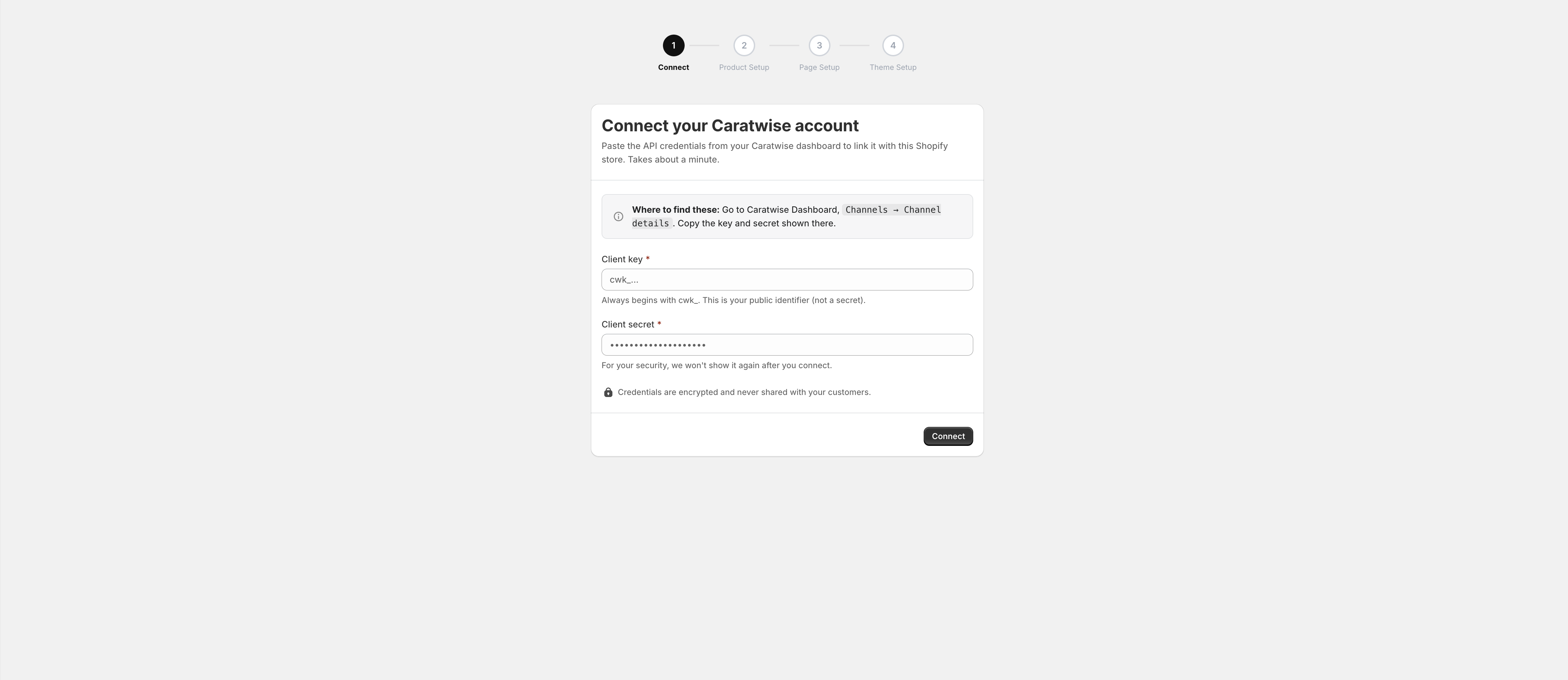
If you do not have a Caratwise account, contact support@caratwise.com to obtain your credentials.
Step 2 — Page Setup

After running publish, pages are created automatically.

Step 3 — Theme Setup
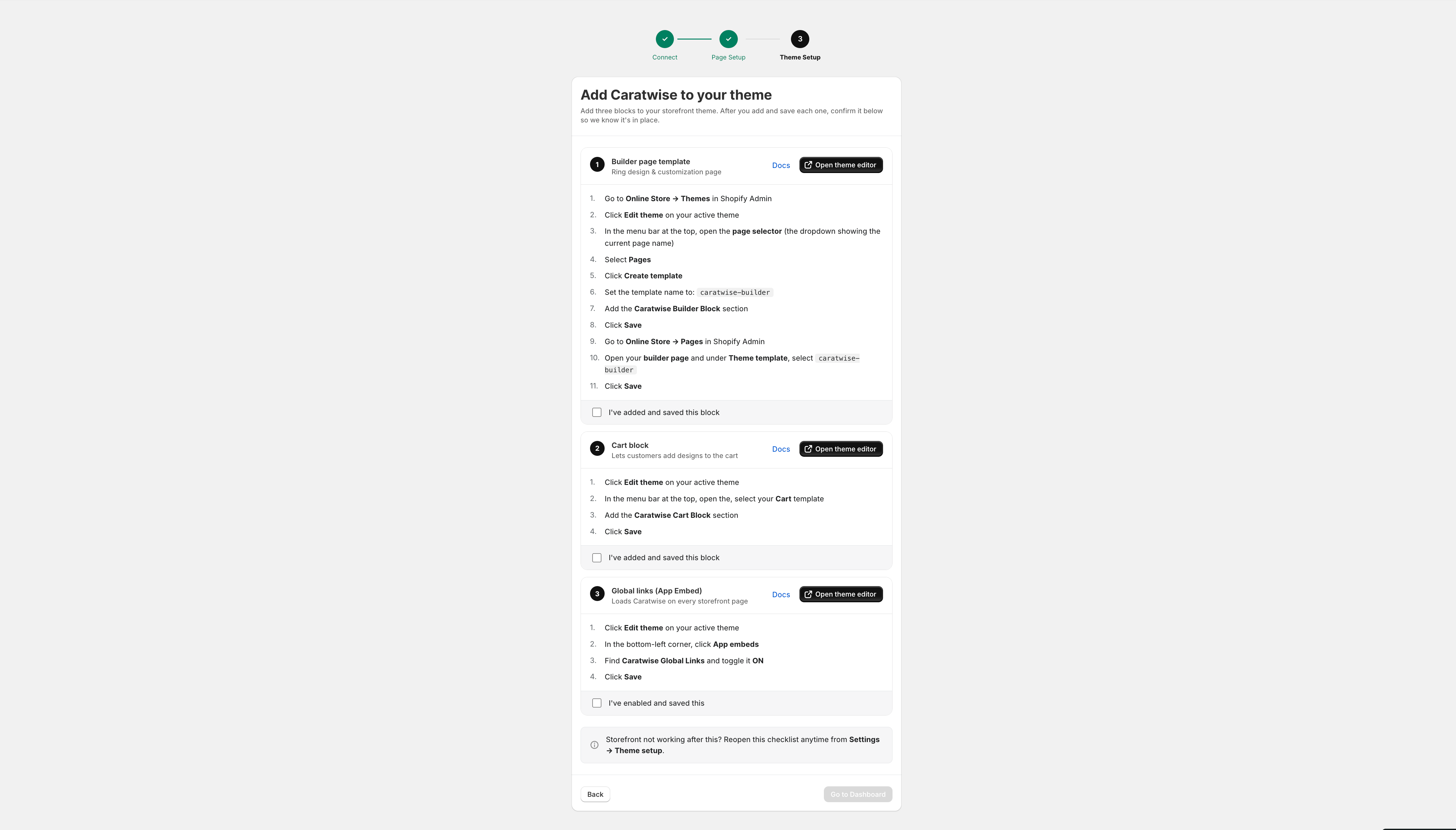
After all theme setup is completed, click I've added and saved this block.
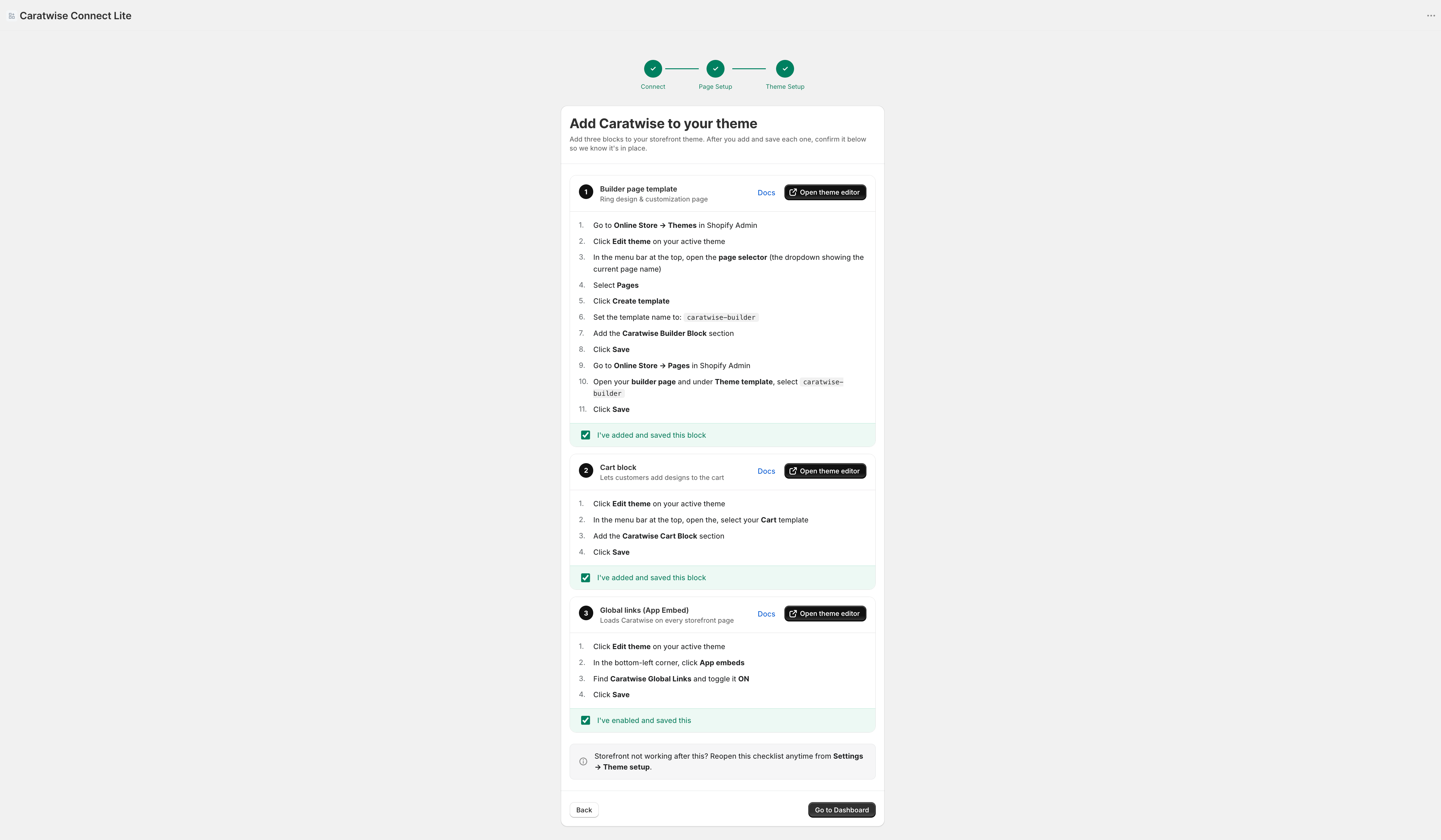
Click on Go To Dashboard