Theme Setup
Overview
The Caratwise app provides guided buttons to automatically open the Shopify Theme Editor and help you add the required blocks to your store.
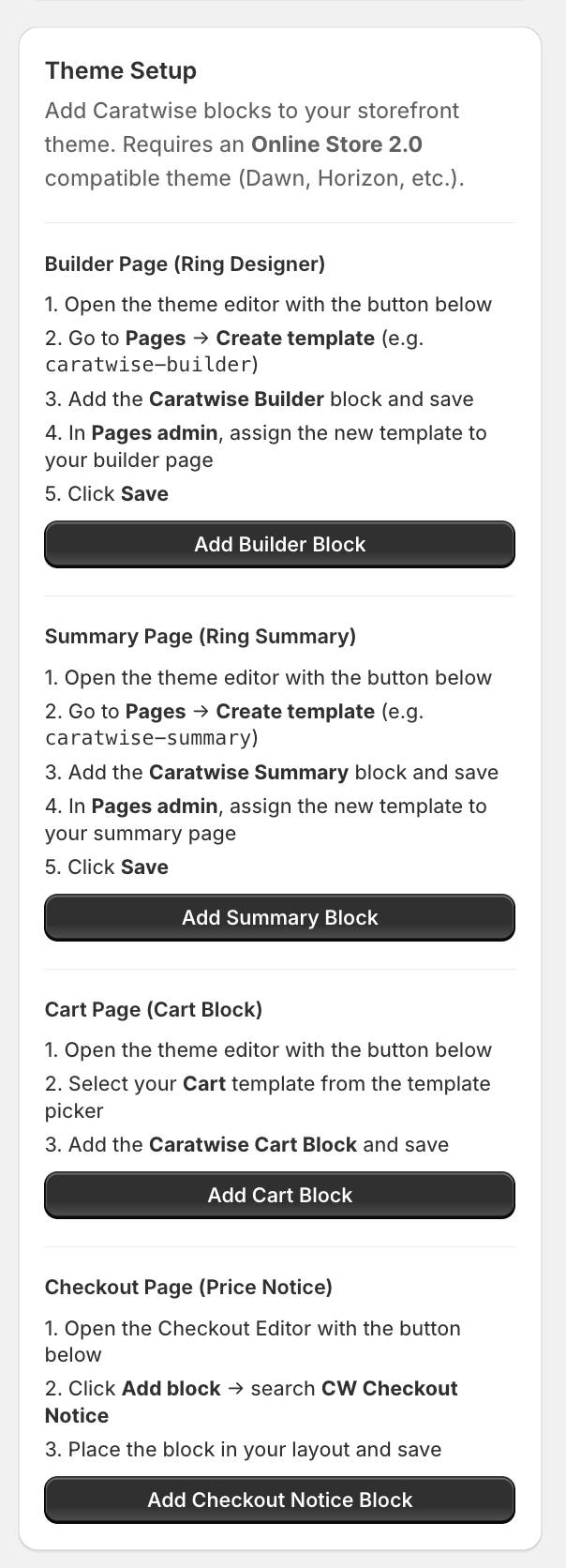
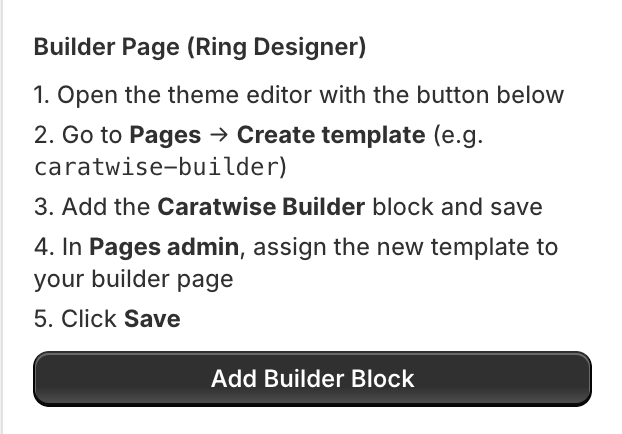
Builder Page (Ring Designer)
-
Click Add Builder Block in the Caratwise dashboard
-
The Shopify Theme Editor will open with the Caratwise block highlighted
-
Click Create template (e.g.
caratwise-builder)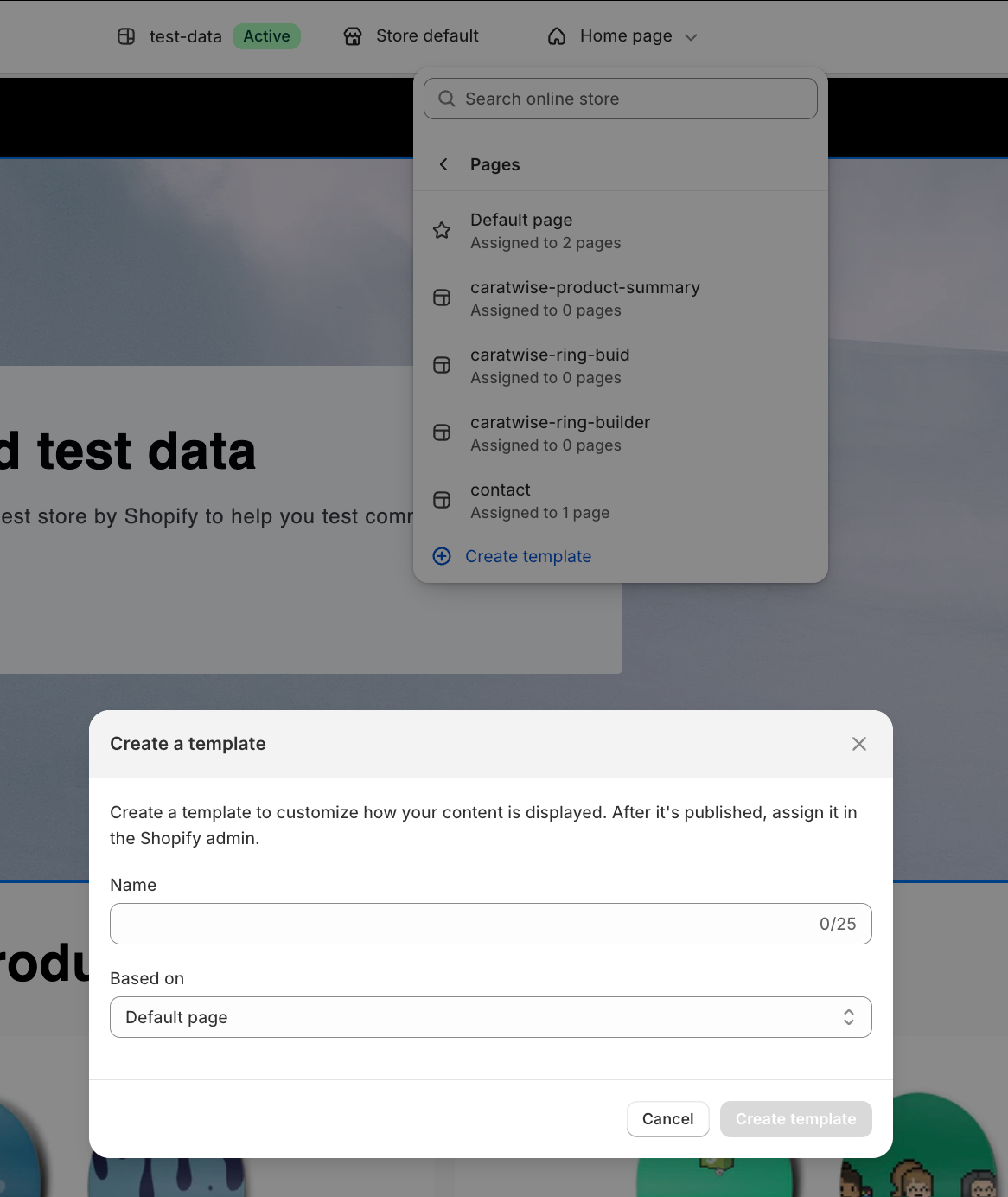
-
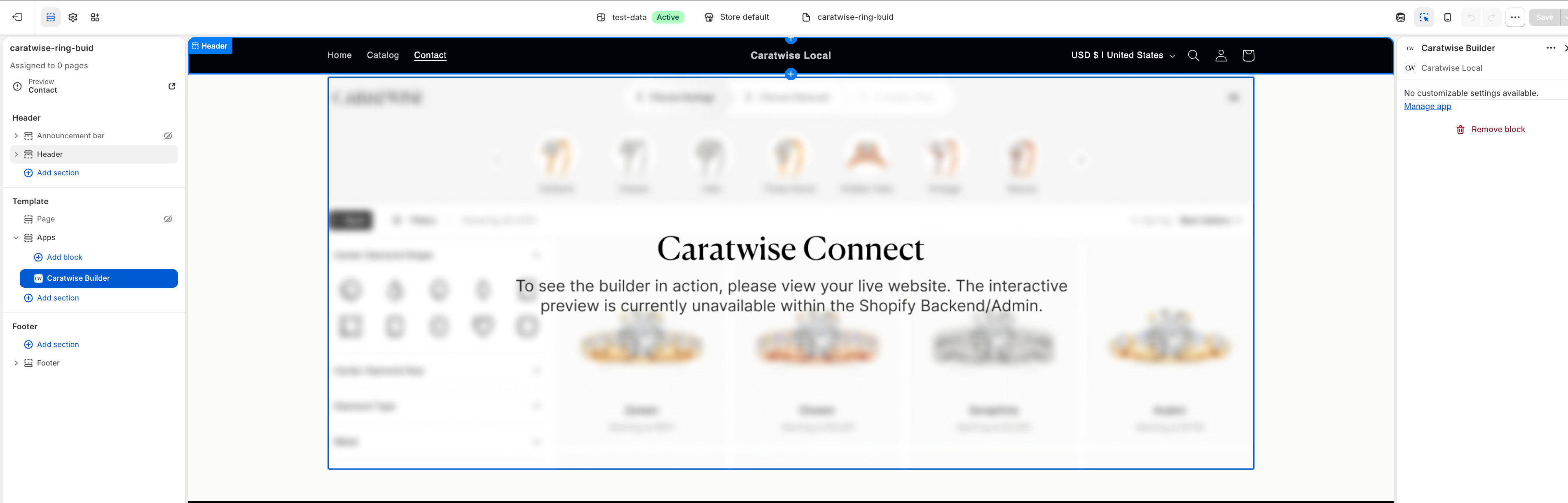
Add the Caratwise Builder block
-
Click Save
-
Go to Pages in Shopify Admin and assign this template to your builder page
Summary Page (Ring Summary)
-
Click Add Summary Block in the Caratwise dashboard
-
The Theme Editor will open
-
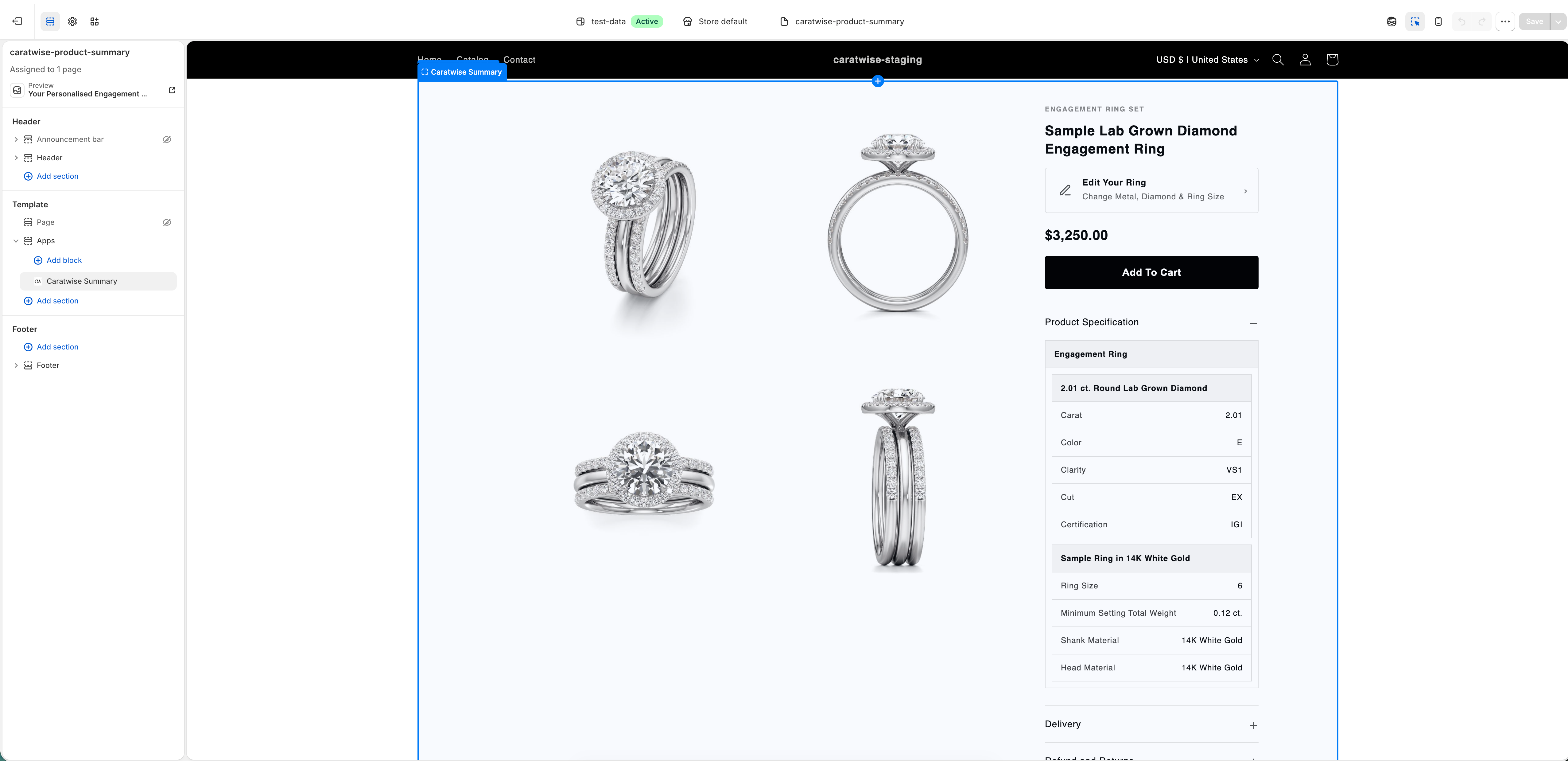
Click Create template (e.g.
caratwise-summary) -
Add the Caratwise Summary block
-
Click Save
-
Go to Pages and assign the template to:
caratwise-summary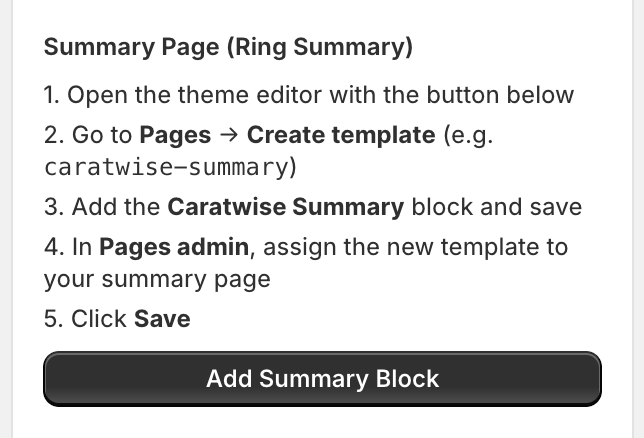
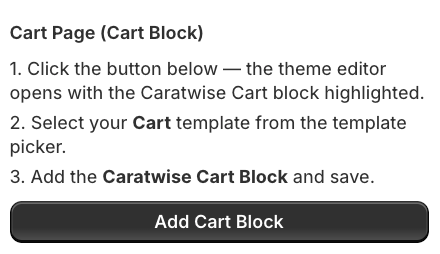
Cart Page (Cart Block)
-
Click Add Cart Block in the Caratwise dashboard
-
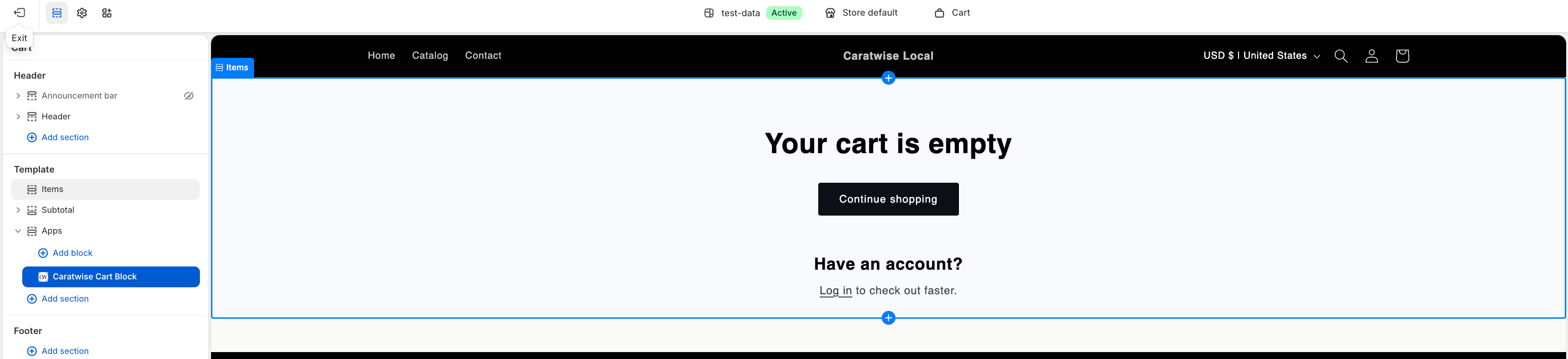
The Theme Editor will open with the cart template
-
Select your Cart template
-
Add the Caratwise Cart Block
-
Click Save